I use a lot of apps. Some of them come from painstaking comparisons between a dozen different choices, others just appeared out of nowhere and stuck with me. I prefer open source apps, but not every app on this list is open source. I also included paid apps in here. If it’s in here and it’s paid, i really recommend it. Here’s what’s on my phone. I may write a more detailed “why” or “how” entry one day. Until that day, i’ll leave you with my personal choices. Enjoy!
Archive for the ‘Keine Kategorie’ Category
Android App Tipps
Posted by Claudius Coenen on December 22nd, 2014 | 1 Comment »
Filed under Keine Kategorie
Key Signing Party Handout Template
Posted by Claudius Coenen on November 22nd, 2014 | Comments Off on Key Signing Party Handout Template
I organized a Key Signing Party a few weeks back and created a handout for every attendee. It featured the keys to be signed and also basic instructions to complete the signing process. It may come in handy for other organizers, so i wanted to share it with you. It’s an OpenDocument format, which should open well in just about any version of LibreOffice, OpenOffice and probably MS Office. I’m placing this under the Free Documentation License.
Read the rest of this entry »
Filed under Keine Kategorie | Tags: Download, OpenSource
Schneller Bildzeitungs-Aufkleber
Posted by Claudius Coenen on November 7th, 2014 | Comments Off on Schneller Bildzeitungs-Aufkleber
Morgen gibt es wieder eine Zwangs-Bild. Wenn ihr (wie ich) vergessen habt, euch einen netten Aufkleber zu beschaffen, könnt ihr in letzter Minute noch das hier ausdrucken und an den Briefkasten hängen.
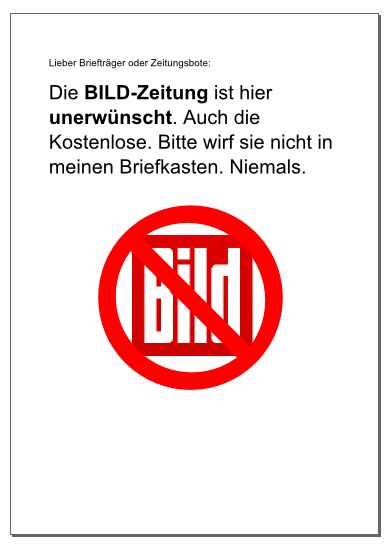
Download als PDF
Weitere Schöne Motive hat auch BildBlog!
Filed under Keine Kategorie
Schwebende Tropfen
Posted by Claudius Coenen on December 30th, 2012 | Comments Off on Schwebende Tropfen
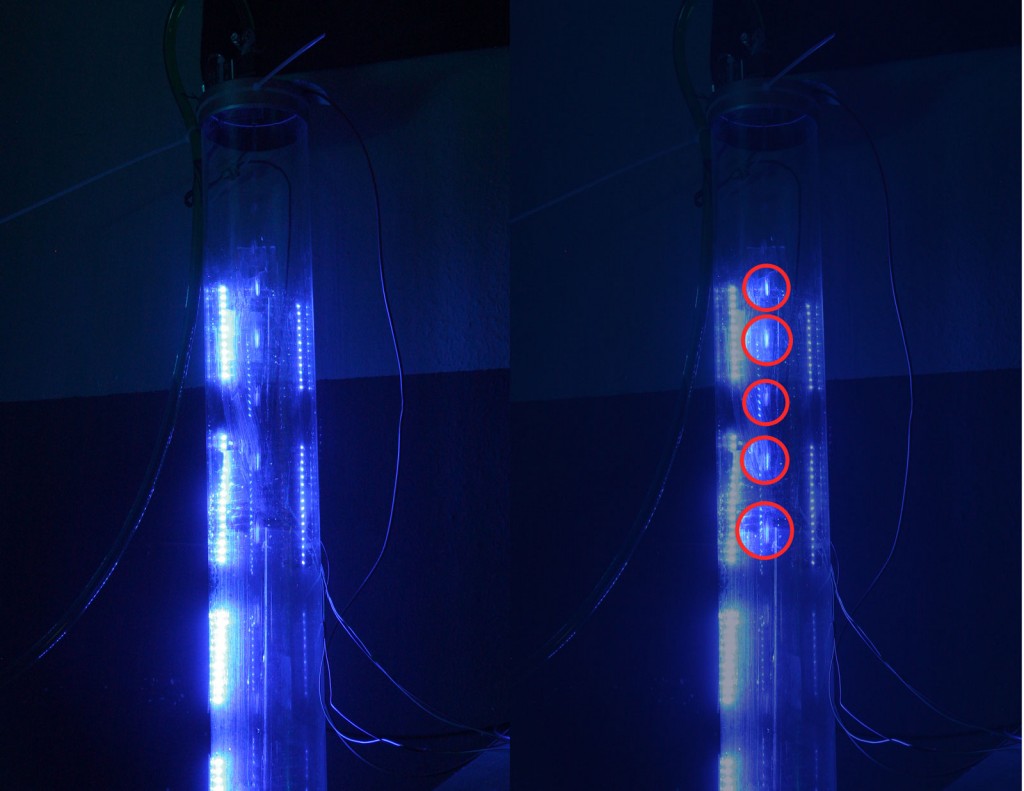
Ein schnelles Projekt, das während dem 29C3 im Wiesbadener CCC entstanden ist: Die schwebenden Tropfen. Ein Magnetventil lässt getaktet (alle 50ms) eine kleine Menge Wasser durch. Seitlich angebrachte LEDs blitzen synchronisiert in die Röhre. Es entsteht der Eindruck als würden die Tropfen in der Luft schweben.
Filed under Keine Kategorie, Technik | Tags: Arduino, Projekt, Wasser
Setting up a Ubuntu 12.04 Guest as HVM, Converting it to PV
Posted by Claudius Coenen on October 11th, 2012 | Comments Off on Setting up a Ubuntu 12.04 Guest as HVM, Converting it to PV
With Ubuntu 12.04 it’s remarkably simple to convert a HVM guest to PV. This will probably work in much the same way with Ubuntu 12.10 as well. Here’s what i did:
Requirements
- VM Host running Xen 4.1 or later (mine is running the default packages provided by debian 6 / squeeze)
- A spare drive (will also work with a disk-image-file)
- Ubuntu Server installation ISO
Installation Phase
In the installation phase, i am running this machine as a HVM machine. The config can be found below. I basically give it a hard disc and the CD-ISO as disks and tell it to boot from CD. Everything else is pretty much default.
# Hostname
name    = 'machine'

# HVM-Loader.
kernel  = '/usr/lib/xen-4.0/boot/hvmloader'
device_model='/usr/lib/xen-4.0/bin/qemu-dm'
builder = 'hvm'

memory  = 2048
shadow_memory = 8
vcpus   = 2

disk    = [
           'phy:/dev/sdc,ioemu:hda,w',
           'phy:/dev/loop21,ioemu:hdc:cdrom,r' # i need to loop CD-Isos, not sure, why.
          ]

#  Networking
vif         = [ 'mac=11:22:33:44:55:66,bridge=br0' ]

boot='d'
vnc=1
vncpasswd = 'setup-something-nice'
Fire up your machine with xm create machine.cfg and connect to it via VNC. Install Ubuntu the way you like.
Converting to PV
After the setup, i usually turn the machine off and mount the hard-disk on the VM host. I alter two things: I add a /etc/init/hvc0.conf (which is a copy from /etc/init/tty1.conf with slight alterations) and i put some static settings into /etc/network/interfaces.
I then reboot the machine with this Xen-Config:
name        = 'machine'
kernel      = '/boot/vmlinuz-3.2.0-31-generic'
ramdisk     = '/boot/initrd.img-3.2.0-31-generic'
root        = '/dev/xvda1 ro,console=hvc0'

memory      = '2048'
vcpus       = '2'

disk        = [
                'phy:/dev/sdc,xvda,w'
              ]

vif         = [ 'mac=11:22:33:44:55:66,bridge=br0' ]

on_poweroff = 'destroy'
on_reboot   = 'restart'
on_crash    = 'restart'
Filed under Keine Kategorie | Tags: HowTo, Ubuntu, Xen
Author
Categories
- Artikel
- Demos
- Fotografie
- Fundstück
- Keine Kategorie
- Linux
- Media
- Musik
- Portfolio
- Recht
- Technik
- Webdesign
Connect
 Recent Bookmarks
- Irene Y. Zhang: The Moral Implications of Being a Moderately Successful Computer Scientist and a Woman
- The Internet Archive just lost its appeal over ebook lending - The Verge
- Extreme Pi Boot Optimization | KittenLabs
- Here’s the Pitch Deck for ‘Active Listening’ Ad Targeting
- In Leak, Facebook Partner Brags About Listening to Your Phone’s Microphone to Serve Ads for Stuff You Mention